Ripping CDs in GP-33
What it is
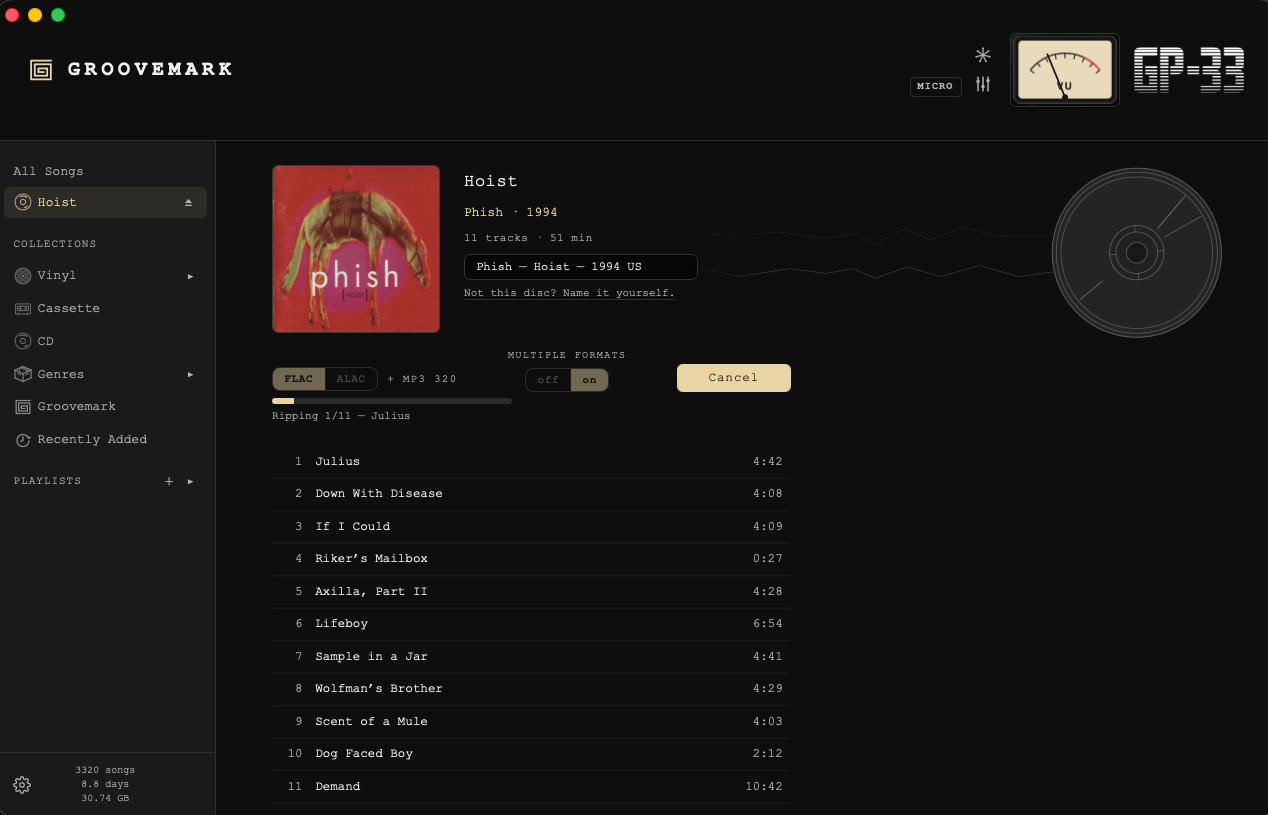
GP-33 rips your CDs straight into your library, tagged, with cover art, ready to play. Put a disc in, check it's the right album, and press Import CD. Nothing needs switching on.
Most Macs today have no disc drive, so you'll need an external one that plugs in by USB. See Recommended gear for the one we use.
The first disc
The first time a disc goes in, macOS asks: "GP-33" would like to access files on a removable volume. Choose Allow. GP-33 needs it to read the disc.
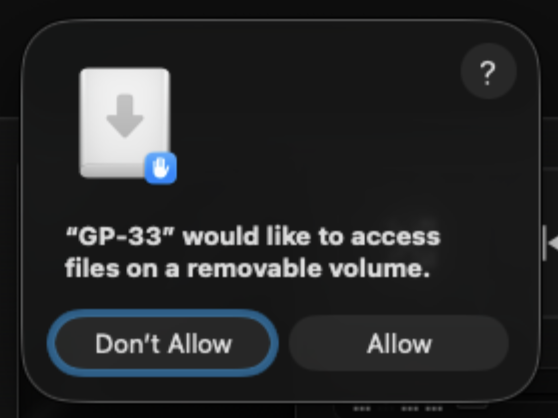
If you chose Don't Allow, open System Settings → Privacy & Security → Files and Folders, find GP-33, and switch on Removable Volumes.
Put a disc in
GP-33 goes straight to the disc's page, and the disc shows in the sidebar with an eject mark.
We look the disc up by its track layout and fill in the album, the artist, the year, the songs and the cover. An album often had several pressings. The one pressed for your country comes first, and the list under the title holds the others. If none of them is your disc, Not this disc? Name it yourself. lets you type it in. With no internet, name it yourself, or wait and GP-33 tries again.
Pick a format
- MP3 320 plays anywhere and takes the least space.
- FLAC or ALAC is lossless: every bit of the CD, at several times the space. ALAC is the one Apple Music plays.
- Multiple formats rips both at once: FLAC or ALAC, plus MP3 320.
GP-33 remembers your pick for the next disc.
Import CD
Press Import CD. The line under it shows each song as it rips.
Import CD becomes Cancel while it works. Press it and GP-33 asks if you're sure. Keep ripping carries on. Cancel rip stops, removes the songs ripped so far, and leaves the disc in the drive.
When it's done
The disc ejects, and GP-33 goes to All Songs. With Play when done on, the first song starts playing, so you know it's in.
If a rip fails, the disc stays in and nothing plays. The line under Import CD says what went wrong.
Where the songs go
Out of the box GP-33 keeps three folders side by side, in Music/Groovemark in your home folder: its library, Masters for recordings made in Groovemark, and Lossless.
- One format: the songs go into your library.
- Multiple formats: your library holds one of the two, MP3 to start. The other goes to its own folder beside the library, Lossless (or MP3). Pick which one the library holds in Settings → files → Library holds.
- Change… puts a format in a folder of your own. Forget (Reset on the library's row) goes back to the out-of-the-box one.
- If a folder you chose is gone, Import CD asks for a new one.
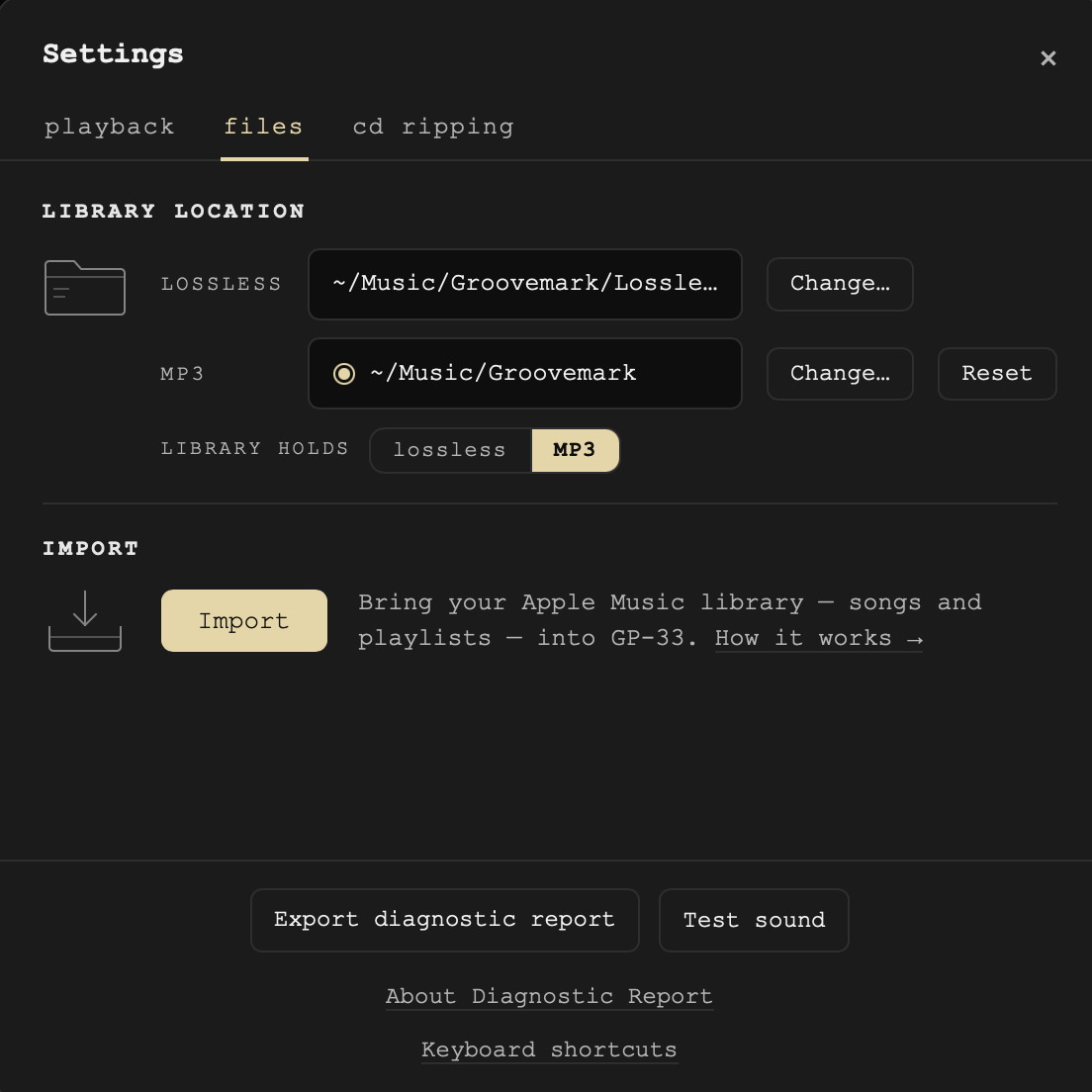
Settings → cd ripping
The same picks as the disc's page, in one place: Play when done, Format, and Multiple formats. On a disc's page, the gear opens straight to this tab.
What we never do
We never write to your disc. The lookup sends only the disc's track layout, never your music, and everything else happens on your Mac. A cancelled rip removes only the songs that rip made.
Still need help? hit us up.